Welcome to My Assembled PC Section!
Specification
- Central Processing Unit (CPU): Intel Core i5-12600K 3.7 GHz 10-Core Processor
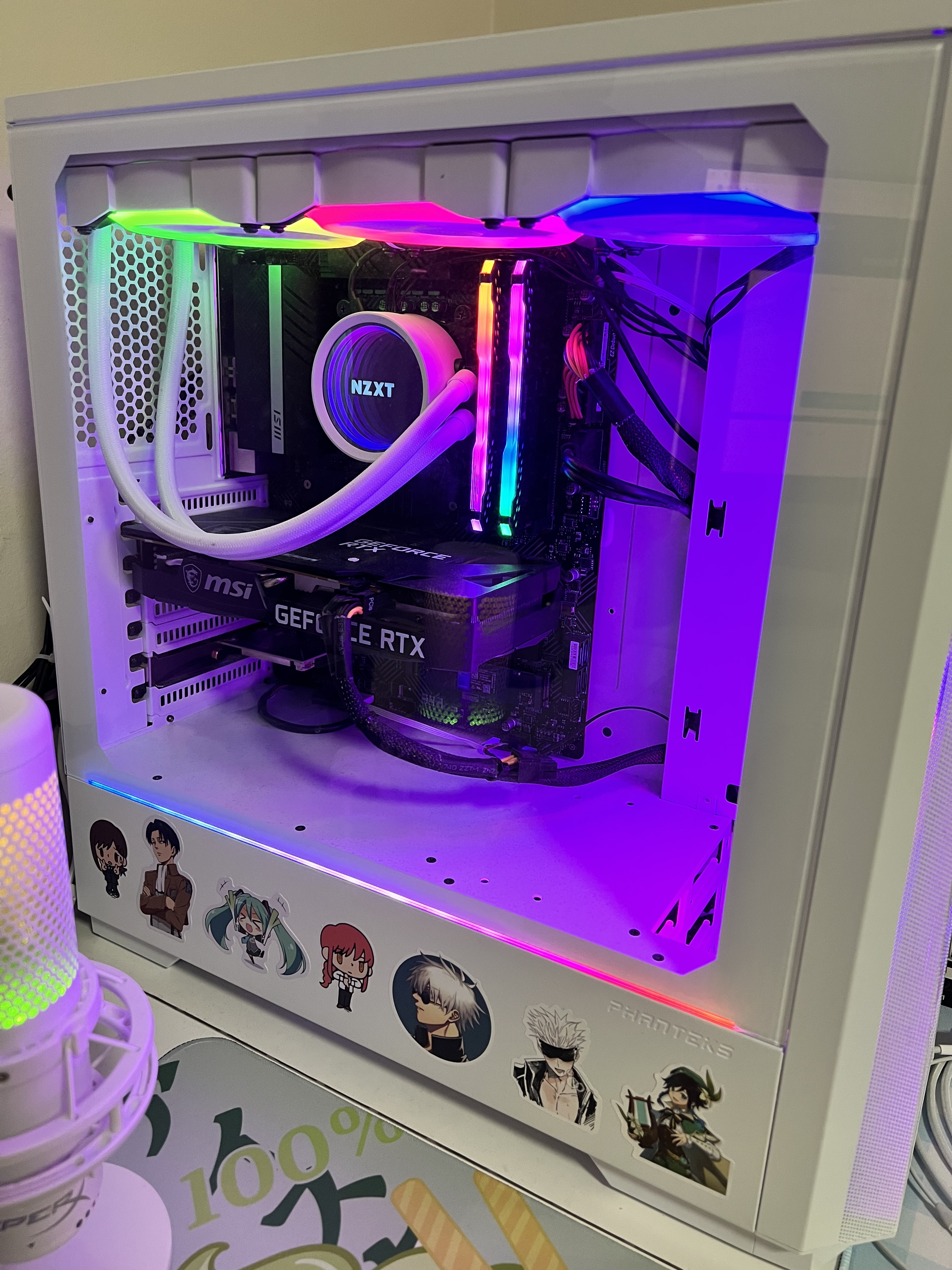
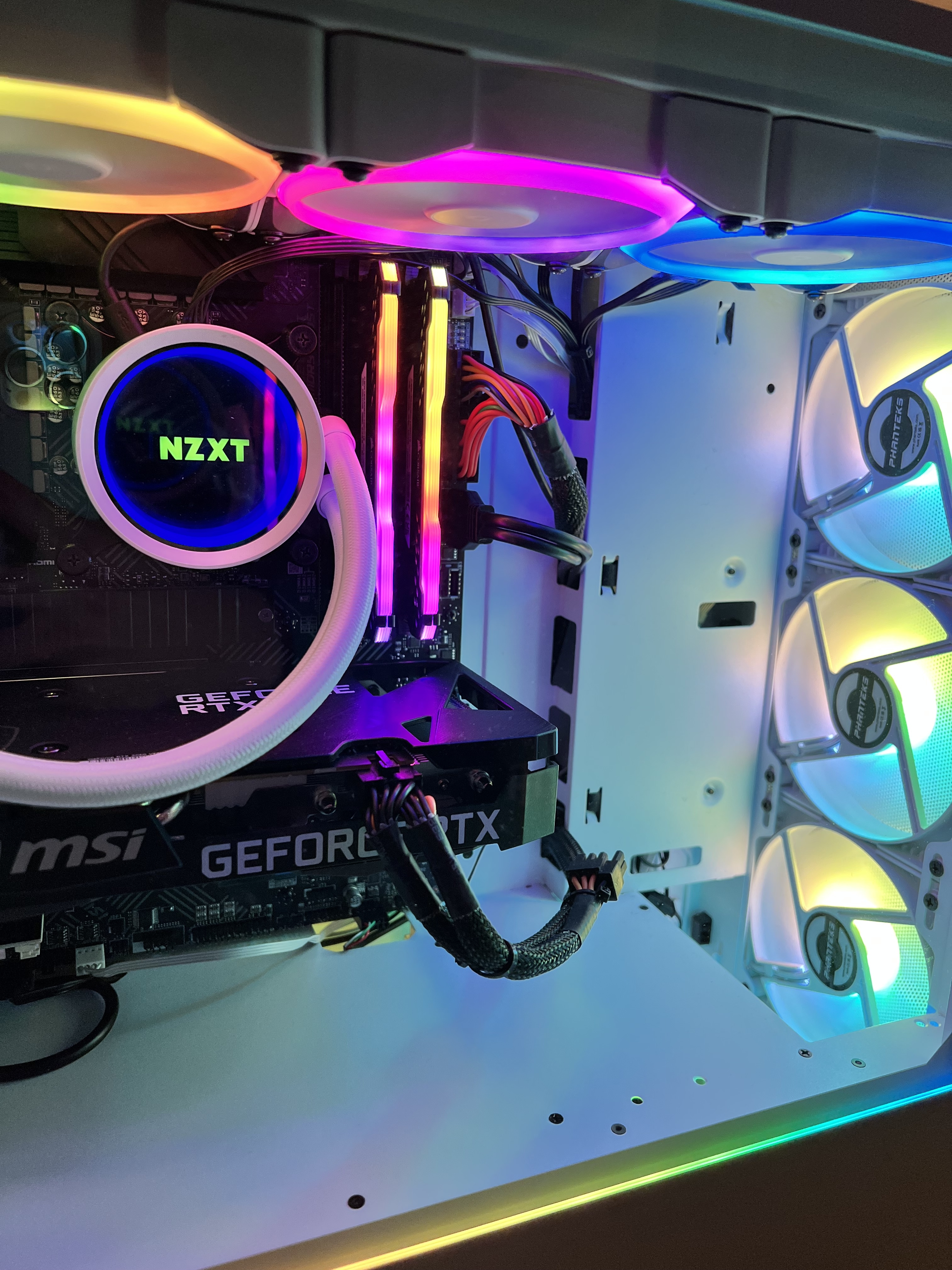
- CPU Cooler: NZXT Kraken X73 73.11 CFM Liquid CPU Cooler
- Motherboard: MSI PRO B660-A DDR4 ATX LGA1700 Motherboard
- Memory: Corsair Vengeance RGB Pro 16 GB (2x8 GB) DDR4-3600 CL18 Memory
- Storage: Western Digital Blue SN570 1 TB M.2-2280 PCIe 3.0 X4 NVME Solid State Drive
- Graphics Processing Unit (GPU):MSI GeForce RTX 3060 Ventus 2X 12G GeForce RTX 3060 12GB 12 GB Video Card
- Power Supply Unit (PSU): Thermaltake Smart 700 W 80+ Certified ATX Power Supply
- Case: Phanteks Eclipse G360A ATX Mid Tower Case
Thoughts on Parts/Builds
This was originally supposed to be an all-white RGB PC build until I saw the prices of the white variants and my jaws dropped. At this time, I believe there was also a massive Black Friday deal going on so I grabbed what was the best bang for your buck. Most of these parts only came in black hence why this build kind of transitioned into a hybrid with some parts being in white while the others being in black. This build had some ups and downs that came with it, mostly with the motherboard and case. The main components (CPU/GPU/Memory/Storage) were relatively easily to assemble onto the motherboard. The part that was the most challenging was probably the cable management and mounting the AIO on.
Starting with the AIO, the CPU block was quite large in comparison to the actual space available in the motherboard. I originally had it going from the top right to the bottom left in order to make room for an exhaust fan in the back, but I found that it basically came in flush with the case fans and decided not to risk it coming in contact with the fans. This configuration did limit me to how much memory I can install since it basically occupies the left-most memory slot now and that only 3/4 slots are usable. For the most part, I wasn't planning on using the other two memory slots, which works in my favour, but it would have been nice to have if I wanted to install additional memory. In the worst case, I could re-attempt changing the pump direction and hopefully make it fit better than the first time I did it. The other nasty part was the cable management. There was very little space to kind of slide wires through the holes to connect to my motherboard. This was more prominent on the top row since my radiator occupies a lot of the top compartment. In the end, it did fit but working through that along with the internal cables was a mess.
For the most part, I'm still very content about this build, it runs applications and games very smoothly and the temperatures are very stable (CPU never goes above 50°C even when under load and GPU always sits below 70°C). If I were to make a change, I would've probably got a different case and motherboard. It didn't hit me until I was assembling it but I totally forgot to get a motherboard with built-in Wifi/Bluetooth. I also needed one more USB slot so I could install my strimer extension cables but my motherboard only came with one, which was used to connect to NZXT's software to control the radiator. I did end up getting a Wifi adapter but not an additional bluetooth splitter. The case itself isn't bad, but reflecting back now, there were better options in the market like the NZXT Flow series that helps with not only airflow, but also cable management. Plus, the design, in my opinion, also looks more minimalistic and uniform which is a plus to me =D. Going for an ATX size would have made building the PC easier as well and also provide better cooling (typically). I would have like to tidy things up a little more (like the cables), but in the end, I've decided that it could be something to work on when I build my next setup.
Specification
- Central Processing Unit (CPU): AMD Ryzen 5 5600 3.5 GHz 6-Core Processor
- CPU Cooler: Stock Cooler
- Motherboard: MSI MAG B550 TOMAHAWK MAX WIFI ATX AM4 Motherboard
- Memory: Corsair Vengeance RGB Pro 16 GB (2x8 GB) DDR4-3200 CL16 Memory
- Storage: Western Digital Blue SN570 1 TB M.2-2280 PCIe 3.0 X4 NVME Solid State Drive
- Graphics Processing Unit (GPU):MSI MECH 2X OC Radeon RX 6650 XT 8 GB Video Card
- Power Supply Unit (PSU): Thermaltake Smart BX1 650 650 W 80+ Bronze Certified ATX Power Supply
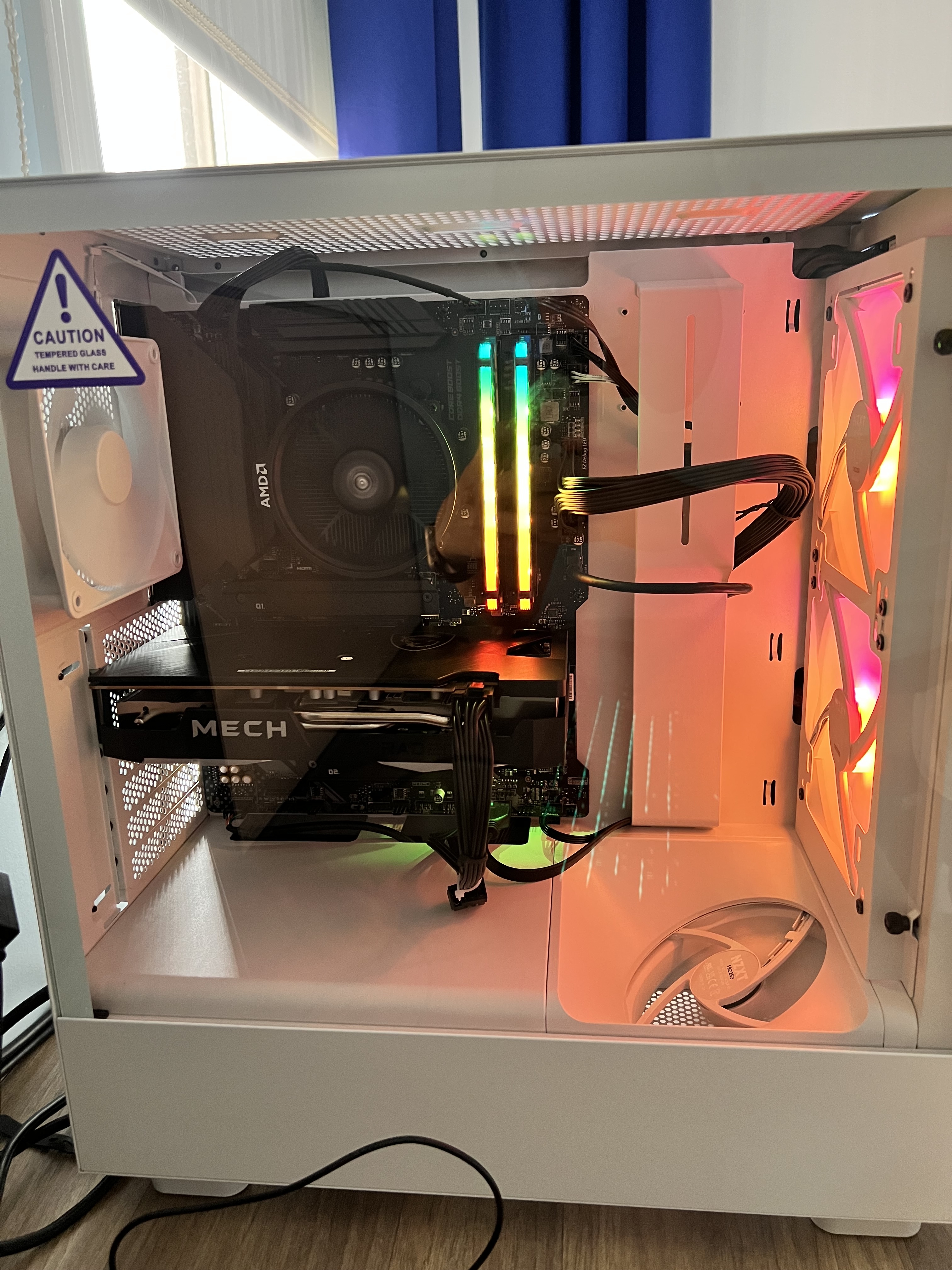
- Case: NZXT H5 Flow RGB ATX Mid Tower Case
Thoughts on Parts/Builds
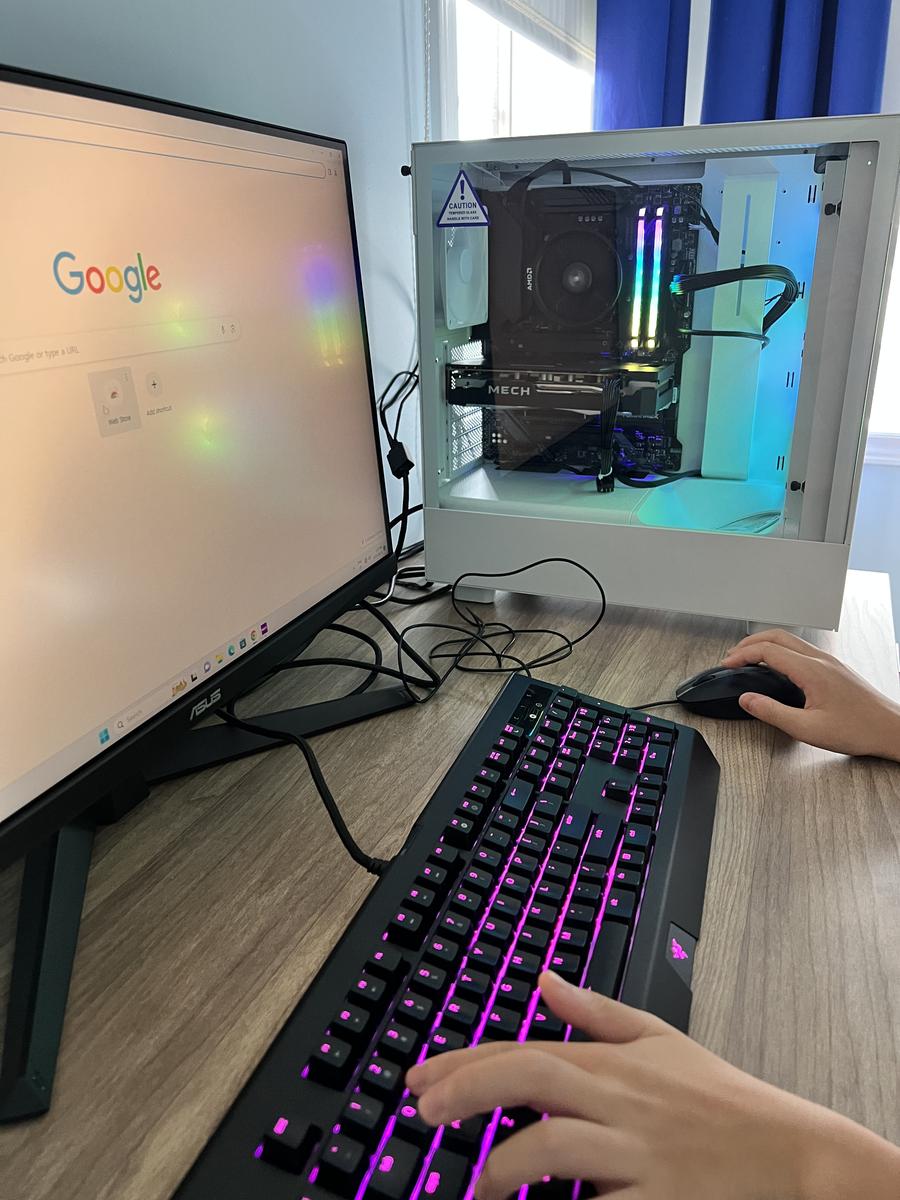
This was a custom PC that I built for my cousin near the end of summer. Since he's at a point where he's about to enter high school, I decided that it was good time to build him his very own PC (also because he won't stop complaining about how slow his laptop is). He said that he wanted the PC to be fast so he can do school work while also being able to game as well. He doesn't play anything too performance heavy (I think he mostly plays Roblox and Valorant) and he wanted an entire setup that costs less than $1,500, including the keyboard, monitor and PC. He was design indifferent and only really cared that the computer was able to run fast and perform well.
For this build, I learned from my previous mistake and actually decided to go buy a motherboard that supports Wifi/Bluetooth and I ended up getting the MSI B550 Tomahawk. The setup was a lot easier for this build compared to my other one and I think it's mostly because of the case and how I didn't need to install a radiator. Instead, I chose to use the stock cooler that came with the AMD Ryzen 5 5600. The case was the NZXT H5 Flow RGB and I actually really liked the cable management that this case came with. The internal wires were all sorted and tidied and there was lots of room to move wires from the back to the motherboard. Not only that, but I thought the overall case was very uniform and visual appealing, though I feel like the black version would've definitely suited the inner components more than the white (I think I'm just biased towards white cases since they look more appealing to me haha). The only thing that I wished they would have changed would be the exhaust fan that comes included with the case as it is inconsistent with the 2x140mm case fans in the front. The case fans come with RGB lighting while the exhaust fan doesn't, which is a bummer.
Apart from the actual build, the PC works just as expected. It was performant to my cousins's liking and pairing it with a 165Hz monitor made the gaming experience very seamless. The CPU works amazingly well with the GPU and there is practically no bottleneck so there's basically a 1-1 usage between them. The only thing that did catch my eyes though would be the CPU temperature. The CPU would stay idle around 40-60°C and up to 75°C when gaming. This is relatively high in comparison to my PC (which makes sense since I'm using a radiator as opposed to a stock cooler). I read about similar user experiences and AMD's guidelines and apparently this seems reasonable in most AMD chips as AMD chips typically run hotter than Intels'. However, a part of me can't help but think that this would hurt its longevity. I do have an additional CPU cooler if it ever gets too hot but hearing that my friend has been using her PC for 2-3 years without issues despite having a similar, if not higher, CPU temperature, gives me a sense of reassurance. On the other hand, my cousin really liked an old keyboard that I have so we saved a bit there from having to buy a new one. All in all, I think he was quite content with it and I had fun researching and building a PC along the way!